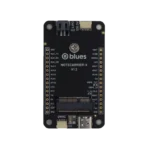
Notecarrier Pi

Designed for drop-in development with a Raspberry Pi or Pi-compatible Single Board Computer.

    Best Notecarrier For Raspberry Pi SBC

    Pi Hat with stackable, passthrough headers

    Two Qwiic I2C ports for external peripherals

    U.FL cellular/WiFi antenna included with Notecarrier Pi

  • Notecarrier Pi

    • Pre-soldered stackable 40-pin header for plugging into a RPi
    • M.2. Key E edge connector and screw-down port for Notecard
    • Nano-SIM slot for (optional) additional carrier connectivity
    • Two Qwiic I2C port for attaching external peripherals
    • Includes U.FL cellular/WiFi antenna (GPS requires U.FL active antenna)
    • Micro-USB to power device and provide USB interface to Notecard
    • This product requires a Notecard
    Notecarrier Pi 2.0

Tech Specs

Please Note

There are several key differences between the Notecarrier Pi and other Blues Notecarriers:

  • No support for battery monitoring or charging
  • Supports 3V3 only and is powered directly by the Raspberry Pi
  • Doesn’t offer I2C clock stretching (therefore I2C errors are more common)
  • Doesn’t support the Notecard’s AUX 1-4 pins (therefore card.aux is not supported)
  • Provides serial access via AUX RX/TX (therefore there is limited support for card.aux.serial)

Size

  • 52mm x 61mm

Compatible Notecards

Compatible MCUs

  • Raspberry Pi with standard 40-pin header

Connections

  • M.2 Edge Socket
  • Micro USB Port
  • Nano-SIM Slot
  • 2x Qwiic Connectors for I2C Peripherals

Headers

  • Pre-soldered Raspberry Pi standard 40-pin header

Switches

  • Active GPS DIP Switch
  • Attention Pin DIP Switch
  • Serial Port DIP Switch

Temperature Ratings

  • -35 ° C min – 70 ° C max

Power Ratings

  • Supply Voltage: 2.5V min – 5.5V max
  • Supply Current: 500mA min – 2000mA max

Additional Information

Which Notecarrier is right for me?

Discover the right Notecarrier for your host, power supply, and deployment stage.

  • Notecarrier F

    Best when using Feather-compatible MCU.

    • Computer Ram 1 Streamline Icon: https://streamlinehq.com computer-ram-1103mm x 51mm
    • Design Tool Quill Streamline Icon: https://streamlinehq.com Adafruit Feather-compatible
    • Antenna 2 Streamline Icon: https://streamlinehq.com antenna-2Bring Your Own Antenna
    • Two Qwiic I2C Ports
    • Solar Charging Car 3 Streamline Icon: https://streamlinehq.com solar-charging-car-3LiPo/Solar/V+
    • Usb Cable Streamline Icon: https://streamlinehq.com Micro USB
    • Sim Card Streamline Icon: https://streamlinehq.com sim-cardExternal Nano-SIM Socket for Additional Carriers
    • View Datasheet
  • Notecarrier Pi

    Best when using a Raspberry Pi-compatible SBC

    • Computer Ram 1 Streamline Icon: https://streamlinehq.com computer-ram-156mm x 61mm
    • Raspberry Pi Streamline Icon: https://streamlinehq.com Raspberry Pi
    • Antenna 2 Streamline Icon: https://streamlinehq.com antenna-2External Cellular/WiFi Antenna
    • One Grove I2C Port
    • Layers Stacked Streamline Icon: https://streamlinehq.com Pi HAT
    • Usb Cable Streamline Icon: https://streamlinehq.com Micro USB
    • Sim Card Streamline Icon: https://streamlinehq.com sim-cardExternal Nano-SIM Socket for Additional Carriers
    • View Datasheet
  • notecarrier-a MCU

    Notecarrier A

    Best when prototyping with any other MCU

    • Computer Ram 1 Streamline Icon: https://streamlinehq.com computer-ram-168mm x 75mm
    • Computer Chip Streamline Icon: https://streamlinehq.com computer-chipAny MCU
    • Monitor Antenna Streamline Icon: https://streamlinehq.com monitor-antennaEmbedded Antennas
    • Two Qwiic I2C Ports
    • Solar Charging Car 3 Streamline Icon: https://streamlinehq.com solar-charging-car-3LiPo/Solar/V+
    • Usb Cable Streamline Icon: https://streamlinehq.com USB-C
    • Sim Card Streamline Icon: https://streamlinehq.com sim-cardExternal Nano-SIM Socket for Additional Carriers
    • View Datasheet
  • Notecarrier X

    Best for small form factor deployments

    • Computer Ram 1 Streamline Icon: https://streamlinehq.com computer-ram-166mm x 38mm
    • Computer Chip Streamline Icon: https://streamlinehq.com computer-chipAny MCU
    • Antenna 2 Streamline Icon: https://streamlinehq.com antenna-2Bring Your Own Antenna
    • One Qwiic & One ESLOV I2C Port
    • Light Mode Flash On Streamline Icon: https://streamlinehq.com 2.5V-5.5V to V+
    • Usb Cable Streamline Icon: https://streamlinehq.com USB-C
    • Sim Card Streamline Icon: https://streamlinehq.com sim-cardExternal Nano-SIM Socket for Additional Carriers
    • View Datasheet

Frequently Asked Questions

The Notecard and its companion Notecarrier-Pi HAT support virtually any Raspberry Pi-compatible single-board computer (SBC) with a 40-pin male header connector. An example of a compatible SBCs is the balenaFin.

Note that due to the power requirements of the Notecard, some Raspberry Pi 2 and 3 models include a current-limiting fuse that will power-cycle the device when the Notecard’s modem is on and transmitting. To avoid these issues, we recommend using Raspberry Pi 4 devices with the Notecard and Notecarrier Pi HAT.

The Notecard, combined with the Notecarrier-A, is the easiest way to add cellular connectivity to your MCU-based IoT project. Blues provides a Feather Starter Kit that includes a Swan, a feather-compatible MCU, to get you started as quickly as possible. Alternatively, if you are invested in the Raspberry Pi platform you can use the Notecarrier Pi in your project.

No! The Notecard is a small 30mm x 35mm system on module (SoM) that is able to be embedded in any IoT project on its own via its M.2 edge connector.

However, Blues provides a variety of Notecarrier host boards for easily adding cellular connectivity to a new or existing IoT solution for prototyping purposes. The Notecarrier also provides antennae for both the GPS and cellular capabilities of the Notecard Cellular (and the cellular antenna is also compatible with the Wi-Fi enabled Notecards).

  • Notecard: SoM peripheral with a cellular modem, IMU sensor, GPS modem, with an M.2 edge connector.
  • Notecarrier: A prototyping board with cellular/Wi-Fi and GPS antennae, used to breakout the pins on the Notecard’s M.2 connector.
  • Notehub: A cloud service, used as a backend to connect with the Notecard. Notehub securely receives all data and communications created by the Notecard. In turn, Notehub can securely sync encrypted data with the cloud application of your choice using VPN tunnels which eliminates the need for traffic to traverse the public Internet.

We’re making Massive IoT implementation quick and easy.

Start your journey with us!