-
Commercial Buildings and Facilities
From connected HVAC and elevators to water systems and fire panels, commercial buildings demand rugged, future-proof smart connected equipment that helps reduce costs, prevent failures, and improve building performance.
Three Critical Challenges in Creating Smart Connected Products for Commercial Buildings and Facilities
Building smart-connected products for the Commercial Buildings and Facilities sector means navigating complex, potentially aging infrastructure while serving customers who expect reliability but also do not have a high tolerance for installation or operational hassles. Manufacturers must design for environments shaped by restrictive networks, unskilled operators, and legacy systems.
Restrictive Building Infrastructure
Commercial buildings weren’t designed for IoT. Highly controlled networks, blocked WiFi access, and limited Ethernet mean your products can’t rely on building IT. Connected equipment must work in environments where traditional connectivity is unavailable, restricted, or impossible to use.
Non-Technical Operators
Building managers and facility operators aren't IT professionals. They can't troubleshoot connectivity issues, reconfigure devices, or manage complex provisioning. Simple deployment and autonomous operation are essential.
Inaccessible Installation Locations
Connected building systems are installed in elevator shafts, behind walls, on rooftops, and in locked mechanical rooms. Physical access for maintenance, troubleshooting, or updates is difficult, expensive, and disruptive. Remote management and over-the-air updates are requirements.
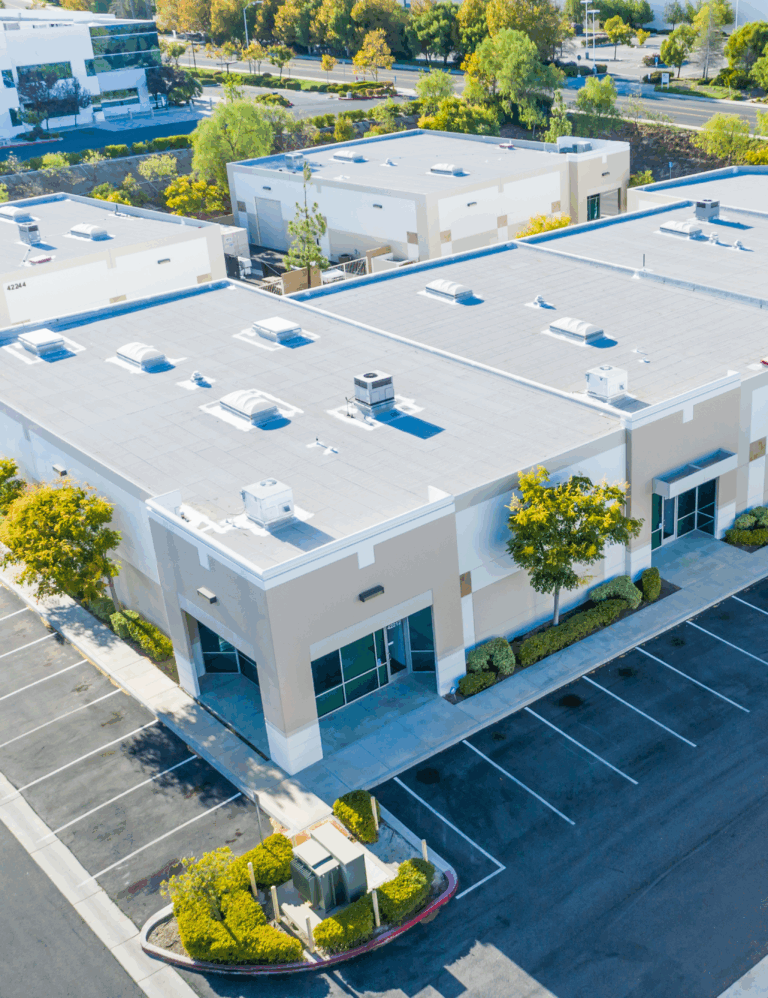
Tailored to the Needs of Commercial Buildings and Facilities Management
Blues enables you to deploy with confidence, knowing your smart connected products will perform reliably regardless of legacy physical and digital infrastructures.

Reliable Cellular Coverage
Blues offers a reliable cellular connection. Your connected building systems work independently of WiFi networks, ethernet infrastructure, and IT departments. Deploy in any mechanical room, elevator shaft, or rooftop without needing to make network access requests or firewall exceptions.
Zero-touch Deployment
Blues eliminates coordination with building IT staff for installation, troubleshooting, or network changes. Your devices connect immediately upon installation and maintain communication without requiring intervention from buildings and facilities managers.
Manage Fleets Remotely
Blues enables complete remote over-the-air device management. Deploy OTA firmware updates, adjust device configurations, and diagnose issues remotely. Eliminate truck rolls to inaccessible locations and manage your entire building systems fleet from a single dashboard.
Take Your Next Step
Whether you’re responsible for business decisions, product decisions, technical decisions – or all three! – we’re ready to chat or to help you dive right in.
Use Cases

Downtime Prevention
Increase uptime by remotely monitoring the condition of your connected building systems to spot emerging problems before they happen. Data-driven predictive maintenance prevents equipment failures to maximize system availability and keeps facilities operating smoothly. Eliminate emergency service calls and increase tenant satisfaction.

Energy Savings
Optimize energy use and reduce operational costs through AI-enabled automated controls for HVAC, lighting, and water systems. Access real-time visibility into equipment performance, occupancy patterns, and consumption trends. Lower utility bills while meeting sustainability goals.

Safety
Assurance
Protect occupants and assets through continuous monitoring of life safety systems, environmental conditions, and access control. Receive instant alerts for fire hazards, water leaks, or unauthorized access to minimize their impact, reducing liability, lowering insurance premiums, and meeting building codes.

Loss
Prevention
Prevent equipment theft and eliminate water damage with uninterrupted monitoring, physical access control, and real-time environmental detection. Avoid costly losses from vandalism or environmental failures, meet regulatory compliance for occupied buildings, and protect property owner relationships with documented incident response.

Truck Roll Reduction
Eliminate costly and unnecessary service visits by remotely monitoring your connected building systems to deliver real-time visibility into when maintenance is actually needed, instead of on a fixed schedule. Increase tenant satisfaction with proactive, data-driven, perfectly timed interventions that prevent disruptions.
Overcome the Barriers Killing Your IoT Deployments
More than 66% of businesses lack in-house IoT management expertise, and over 62% of IoT implementation delays are linked to device compatibility and integration issues. Learn how equipment manufacturers are designing connected building products with cellular-first connectivity, zero-touch provisioning, and remote fleet management to deploy successfully across multi-site enterprise accounts.
Why Customers Love Us
By using the Blues platform, we saved about 12 months of R&D time, getting us to market about a year sooner.
Jamie Fox
Director, Technology and CRM

I like working with Blues because it solves several very important problems for me that I no longer have to worry about.
Danny Wilson
Founder and CEO

Since integrating the Notecard. Our operational runtime is extremely high - you can almost say it's never down.
Bill Kezele
President

You could have a whole department to keep devices running—or you can hire Blues.
Rob Wurth
CEO

Blues aligns perfectly with our own mission to transform industries through cutting-edge technology.
David Mackenzie
VP of Product Development

We now forecast a 10X factor in cost savings for our smart crane system. Blues provides lower up-front costs than a traditional system.
Karen Norheim
President and CEO

Start Building Today
Get started, build your proof of concept using a Blues Starter Kit, ready-made example application, and our developer resources.
Buy a Starter Kit
Our demo kit in a box. Includes an MCU, carrier board, and pre-configured Notecard with your choice of cellular, satellite, LoRa or WiFi.
Choose an Example Application
Clone a working example— from temperature and smoke detectors to HVAC monitoring —and start seeing your device data flow into Notehub.
Follow Our Getting Started Tutorial
Go from hardware setup to API calls in under an hour by following our hands-on tutorial, or join our next getting-started session live.
Take Your Next Step
Whether you own the business, product, tech stack, or all three! We’re ready to chat or to help you dive right in.
FAQs
Blues makes it easy to connect any IoT device to the cloud in minutes using our Notecard modules and Notehub platform. With just a few lines of JSON, your device can securely send data to the cloud—no complex setup or custom firmware required.
Want to know more? Contact Us for a free no obligation chat!
Our Notecard Cellular is an ultra-low-power, plug-and-play module designed for long battery life and global coverage. It includes 10 years of data and 500MB of usage with no monthly fees or contracts. Perfect for remote, embedded, or battery-operated IoT deployments.
Custom modules like the Notecard XP are also available for large scale deployments and help reduce total bill of materials by using only components your application requires.
Yes! Every Notecard includes 500MB of bundled data that's good for up to 10 years and has no contracts and no subscriptions. You get predictable pricing and complete cost control, even at scale. Visit our Pricing page to learn more.
Blues handles security for you. Notecards include built-in ECC certificates and use encrypted, off-internet communications to send data to Notehub. You don’t need to manage credentials or certificate renewal.
Blues offers a full ecosystem of Notecards for easy connectivity, and Notecarriers for easy prototyping. We also offer design support through our Design Review Program. Whether you're building a prototype or scaling to thousands of devices, Blues can help streamline the entire development lifecycle.
Yes. With Starnote, Blues enables satellite connectivity via Skylo for global fallback or primary communication. It’s fully integrated into our API and Notehub so you can switch from cellular to satellite with little or no code changes.
Yes! Our family of Notecard modules support the four main different communication modes: cellular, WiFi, satellite, and LoRa. All of them use the same developer-friendly API so you can switch Notecards without needing to rewrite your application code. Some of our Notecards even support multiple communication modes like our Notecard Cell+WiFi.
With Notehub, you get built-in fleet management tools: real-time overviews, location mapping, alerts, OTA firmware updates, and device diagnostics. It works at any scale, securely and efficiently.
Through our Design Review and Proof of Concept (PoC) programs, Blues can provide suggestions and feedback for product design, firmware consulting, and manufacturing guidance to help you go from idea to production faster and more cost-effectively.
We also have built a catalog of trusted partners who are skilled experts ready to help you build your connected devices.